-
Type:
Bug
-
Resolution: Won't Fix
-
Priority:
 Low
Low
-
None
-
Affects Version/s: 6.4.10
-
Component/s: Issue - Fields
-
6.04
Summary
- Using the html tags such as <html>, <body>, </body> , </html> in the description or comment of a JIRA issue will cause the JIRA Issue screen to break.
- For example using this HTML Snippet :
{html}<html>
<body>
<div align="left"><font face="Arial"><span style="font-size:8pt">testing html</span></font></div>
</body>
</html>{html}
Steps to Reproduce
1. Enable HTML as per :
2. Create an issue and insert this code snippet on ether the description or comment or both sections of the JIRA issue :
{html}<html>
<body>
<div align="left"><font face="Arial"><span style="font-size:8pt">testing html</span></font></div>
</body>
</html>{html}
3. Refresh the page
Expected Results
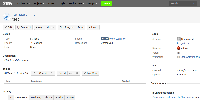
- JIRA Issue view should not break

Actual Results
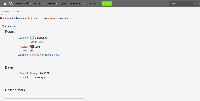
- JIRA Issue breaks

Workaround
Remove the <html><body> tags. Instead only use :
{{html}}

