-
Type:
Bug
-
Resolution: Duplicate
-
Priority:
 Low
Low
-
Affects Version/s: 6.4.8, 6.4.9, 6.4.10
-
Component/s: Issue - Fields
-
6.04
In the issue navigator page, we will see this "Error rendering 'multiversion'. Please contact your JIRA administrators." error message in the filter column if Version Picker custom field is not associate with the project(s) or issue type(s).
Steps to reproduce the problem:
- Create a new version picker custom field and configure only for Project A.
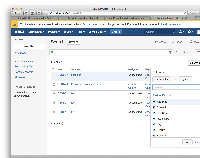
- Add version picker custom field on the issue navigator columns.
- Search all issues and we will see something like this:
Error rendering 'multiversion'. Please contact your JIRA administrators.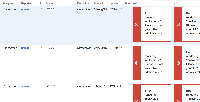
orError rendering 'version'. Please contact your JIRA administrators.

Workaround
- Associate back the version picker custom field to any project(s) or issue type(s) via Custom Fields page > Gear icon > Configure > Edit Configuration.
- Remove the version picker field from issue navigator column.


- duplicates
-
-
- Closed
-