-
Type:
Bug
-
Resolution: Answered
-
Priority:
 Medium
-
None
-
Affects Version/s: 6.0.7
-
Component/s: None
-
6
This is not fixed for 6.0.7.
Steps to reproduce:
- Create 2 projects in fresh JIRA instance (eg. project test and project B).
- Create an issues in both projects (eg. test-123, pb-1).
- Now create a new filter like this:
issuekey in (TEST-123, PB-1)
- Remove the user's 'Browser Project' permission of project test.
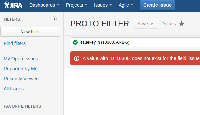
- After that, go back to the same filter. An error shown that the key for TEST-123 is invalid and change to issue key 11305. Please see attached:

Additional info:
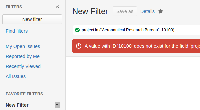
- If you search by projects, the same behavior occurs:
- If, at a later time the user is allowed to view the project again, the issue key and project key automatically reverts back to the correct values, and the filter will be valid again.


- is cloned from
-
-

- Closed
-