-
Type:
Bug
-
Resolution: Fixed
-
Priority:
 Low
Low
-
Affects Version/s: 5.2.11
-
Component/s: None
-
5.02
When creating an issue in the Create Issue Screen, the screen does not close. This problem happens when clicking on the create an issue link from Project Summary.
Step to reproduce the problem:
- Create a new Project, and let's call it Project A.
- Click on the "create an issue" link at Project Summary -> Issues (tab). Please see
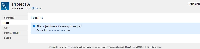
- Fill up the values in Create Issue Screen and click on the Create button. However, the screen does not close and still allow user to create another issue. If a user keeps clicking on the Create button, it will contain duplicate issues. Please see