-
Type:
Bug
-
Resolution: Fixed
-
Priority:
 Medium
-
Affects Version/s: 4.3.1, 4.3.2
-
Component/s: Issue - Time Tracking & Worklog
-
Environment:
Operating System: Ubuntu 10.10
System Locale: Deutsch (Deutschland) / German
Browsers: Google Chrome 10.0
-
4.03
Steps to Reproduce:
- Set up system locale as Deutsch (Deutschland).
- Administration > Global Settings > Time Tracking
- Deactivate time tracking, and set Time Format to days. Then, activate time tracking.
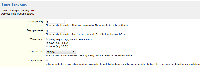
- Reindex (if necessary).
- Create a new issue, with the Original Estimate set to 1d.
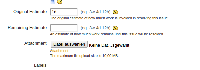
- Once the issue is created, proceed to edit the issue.
- Automatically, the value inside Original Estimate would be 1t.
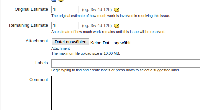
- If you try to save the issue, error messages would appear stating that The original estimate specified is not valid.
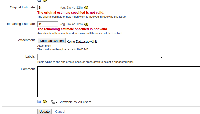
- You would have to change the value back to 1d to be able to save the issue.


Workaround:
- Administration > Global Settings > Time Tracking
- Deactivate time tracking, and set Time Format to pretty. Then, activate time tracking.


- relates to
-
-
- Closed
-
