-
Type:
Bug
-
Resolution: Fixed
-
Priority:
 Highest
-
Component/s: Dashboard - Dashboards & Gadgets
-
11
-
Severity 2 - Major
-
13
Issue Summary
Pie chart gadget sends header limit error when the filter calls around 430 issues.
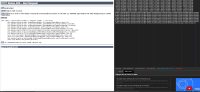
When clicking on any segment of the pay chart Jira sends all the called issues through the URL, if these are more that 430 the user receives a "header too large error"
Problem is reported for other gadgets as well.
Steps to Reproduce
- Create a filter with a JQL like issue in (ISS-1,ISS-2,ISS3,ISS-4...........) with more than 430 issues
- Create a workload pie chart gadget and use the previously created filter
- Click on a segment of the pie chart

Expected Results
To display the information or one error indicating what is the problem
Actual Results
A 400 bad request header too large error is displayed
Workaround
Currently there is no known workaround for this behavior. A workaround will be added here when available
In case that search does not work, it is possible to try a different approach:
- Create a new filter and refer to the existing filter. e.g filter_new = <filter used in the dashboard>
- Change the gadget to use the new filter. 400 error should be resolve in most of the case
