-
Type:
Bug
-
Resolution: Timed out
-
Priority:
 Low
Low
-
Component/s: Backlog (Company) - Epic create and Epic panel, Placeholder
-
19
-
Severity 3 - Minor
-
1
Summary
Converting an issue from any issue type to Epic doesn't require the addition of the Epic Name field.
Steps to Reproduce
- Create an issue from any issue type
- Open the issue type dropdown on the issue detail view and select Epic
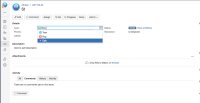
- Create an issue inside the Epic

Expected Results
While changing the issue type to Epic there should be a popup to fill the Epic Name for the issue as it's currently working when moving the issue.
Actual Results
The issues is changed to Epic and the child issues receive the Epic Link unlabelled-
{issue key}
Workaround
Edit the issue manually and add the Epic Name value.


- is related to
-
-

- Closed
-
- relates to
-
-

- Closed
-
-
BENTO-7180 Loading...
- mentioned in
-