-
Type:
Bug
-
Resolution: Timed out
-
Priority:
 Low
Low
-
Component/s: Work Item - Search - Backend - JVIS
-
1
-
Severity 3 - Minor
Issue Summary
Searching issues in JQL by Security level does not work in Team-managed projects
Steps to Reproduce
- Create a Team managed project
- Create an issue in the project
- Set the security level in the issue so only specific roles can see it (any role(s) will do, as long as at least one role is selected).
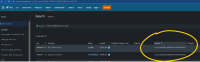
- Go to JQL/Advanced search, add the column Security level, and then search for issues in your team-managed project, you will see the Security level has an ID in it:
- Take the ID you see in the Security field, and try using it to retrieve all issues with that Security level:

Expected Results
The issues with that security level are returned.
Actual Results
An error is displayed about the value not being valid:

Workaround
Currently there is no known workaround for this behavior. A workaround will be added here when available.


- Discovered while testing
-
-
- Closed
-
- mentioned in
-
Page Loading...