-
Type:
Bug
-
Resolution: Won't Fix
-
Priority:
 Low
Low
-
Component/s: Space - Create and Delete
-
None
-
1
-
Minor
Issue Summary
When a user creates a Company Managed project with a permissions scheme in which they don't have the Browse Projects permission, a blank screen appears. A page refresh is required in order to see a descriptive message: "This project isn't available. It may have been deleted or your permissions may have changed.
Steps to Reproduce
- As a site admin remove yourself from the Default software scheme Browse Projects permission
- Create a new Company Managed project
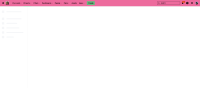
- Observe that you are taken to a blank screen with no indication of whether or not the project was successfully created:
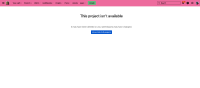
- Refresh the page and a descriptive message appears:


Expected Results
When a user does not have the Browse Projects permission, the "This project isn't available" warning message should always appear.
Actual Results
Upon creation of a Company-Managed project, when a user does not have the Browse Projects permission, the "This project isn't available" warning message does not appear and there is just a blank screen in its place.
Workaround
Refresh the screen.
Site admins can edit the Permissions of a project to which they don't have Browse access by going to Projects > View all projects and clicking the three dots in the row of the desired project. Then go to the Project Settings > Permissions and grant yourself the Browse Projects permission.

