-
Type:
Bug
-
Resolution: Not a bug
-
Priority:
 Low
Low
-
Component/s: Work Item - View (Internal developer use only)
-
None
-
1
-
Minor
Issue Summary
When in the issue search navigator, you are able to use keyboard shortcuts to assign issues, add labels, etc.
Currently, if the Jira Labs feature is active (which activates the new issue view), the shortcuts will not work at all.
Steps to Reproduce
- Activate Jira Labs in your profile settings:
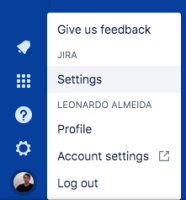
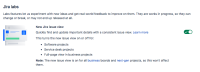
- Try to use the keyboard shortcuts in the issue search navigator when in List View:
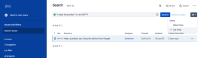


Expected Results
The shortcuts will work.
Actual Results
Pressing the keys in the keyboard has no effect.
See the recording: Keyboard shortcut - issue search list view.mp4
Workaround
You can deactivate the Jira Labs feature, but that will also deactivate the new issue view.


