-
Type:
Bug
-
Resolution: Timed out
-
Priority:
 Low
Low
-
Component/s: Dashboard - Dashboards & Gadgets
-
1
-
Minor
Issue Summary
You can setup a wallboard slideshow so gadgets from more than one dashboard will be presented in the screen.
Currently, it seems like the previous checked dashboard is the only one to be displayed.
Steps to Reproduce
- Mark two dashboards as favourite;
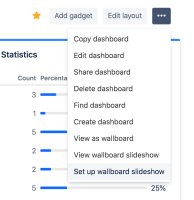
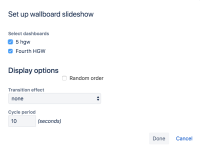
- Click on Set up wallboard slideshow -> check both the dashboards -> Done:
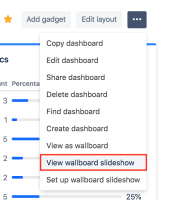
- Click on View wallboard slideshow:


Expected Results
Gadgets from both dashboards will be displayed.
Actual Results
The presentation may end up displaying gadgets from only one dashboard.
See the recording: Wallboard Slideshow.mp4
In some cases, it is possible that only one column of the presentation will get stuck with displaying gadgets from only one of the dashboards.
Workaround
None at the moment.


