-
Type:
Bug
-
Resolution: Fixed
-
Priority:
 High
High
-
Component/s: Work Item - Old View
-
13
-
Severity 3 - Minor
-
1
Issue Summary
When trying do download attachments in the old view, you are redirected to https://api.media.atlassian.com instead of downloading the file.
Environment
Jira Cloud.
Steps to Reproduce
- Click on the file -> click on the download button in the top right:
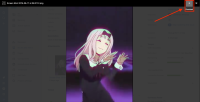
- Or, ctrl + click on the file (command + click in MAC).

See the recording: Download attachment - old view.mp4
Expected Results
The file will be downloaded.
Actual Results
You are redirected to https://api.media.atlassian.com.
Workaround
In Chrome, use ctrl + s (command + s) to save the file. Use the respective shortcut in other browsers.
For .sql files, the file name is lost when performing this workaround. Thus, make sure that you type the name of the file once again and add the .sql extensions at the end of it to keep consistency.

- duplicates
-
-

- Closed
-