-
Type:
Bug
-
Resolution: Timed out
-
Priority:
 Medium
-
Component/s: User Profile Controls
-
9
-
Severity 3 - Minor
Summary
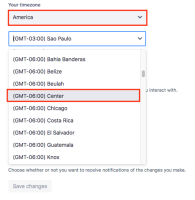
It is not possible to set the timezone to America - (GMT-06:00) Center or (GMT-03:00) Buenos Aires.
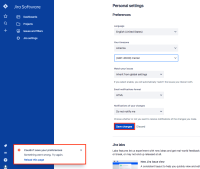
An error is displayed when clicking to save the change.
Environment
Jira Cloud
Steps to Reproduce
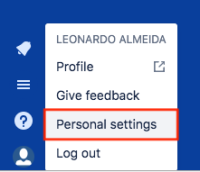
- Click on the profile icon -> Personal settings:
- Set the timezone options as : America - (GMT-06:00) Center:
- Click on Save changes. An error message will be displayed:


Expected Results
The changes should be saved.
Actual Results
An error message is displayed and the timezone is not set.
Workaround
You could use an equivalent time zone, like using (GMT-03:00) Sao Paulo instead of (GMT-03:00) Buenos Aires, however, the user may be affected by daylight saving periods that may be different in each city.


- duplicates
-
-

- Closed
-
-
-
- Closed
-
- is related to
-
-
- Closed
-