-
Type:
Bug
-
Resolution: Won't Fix
-
Priority:
 Low
Low
-
Component/s: Space Administration - Workflows and statuses
-
None
-
1
-
Severity 3 - Minor
Summary
When trying to drag the issue to another status from the board, you will see duplicate statuses.

Or, on the issue view, you see the transition name shows (2).

Steps to Reproduce
- Create a new workflow (example status: To Do, In Progress, Done)
- Add transition to each status
- Then select "Allow all statuses to transition to this one". End result will look similar like:
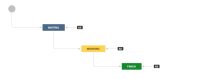
- Associate the workflow to a project
- Create a test issue

Expected Results
System should prompt a warning that a transition with this name exists when "Allow all statuses to transition to this one" is selected

Actual Results
The transition is added successfully with duplicate transition.
Notes
- This situation can only be done on an inactive workflow
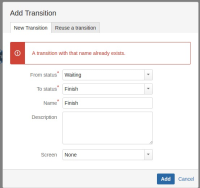
- For Steps to Reproduce, if you perform Step 3 then Step 2, you will see the following error message: