-
Type:
Suggestion
-
Resolution: Low Engagement
-
0
-
5
NOTE: This suggestion is for JIRA Cloud. Using JIRA Server? See the corresponding suggestion.
Problem Definition
- The default Order By for the issue navigator on the Project view page is set to 'Priority' and this cannot be changed.
- Please refer to the screenshot below on the top right, the Order By is by default set to Priority and even after changing it to something else for example, 'Created' , once the page is refreshed, the Order By will go back to 'Priority'
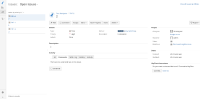
- The problem also occurs in the view "all issues" (the table that comes when clicking the link to view all issues).

Suggested Solution
- Introduce the feature to configure or ability to remember the last used Order By
Workaround
- Create a filter and use the filter instead.

- is related to
-
- Closed
-
- Closed
- mentioned in
-
Page Loading...