-
Type:
Bug
-
Resolution: Unresolved
-
Priority:
 Low
Low
-
None
-
Affects Version/s: 8.5.18, 8.5.19
-
Component/s: Apps - Team Calendar
-
None
-
1
-
Severity 3 - Minor
-
0
-
Accessibility
Issue summary
As per described in the KB Team Calendar is not working properly due to disabling Share Page system plugin
The symptom of this problem is that calendar view gets broken like below when customer disables the "Share page" embedded plugin, though Team Calendar plugin is enabled.
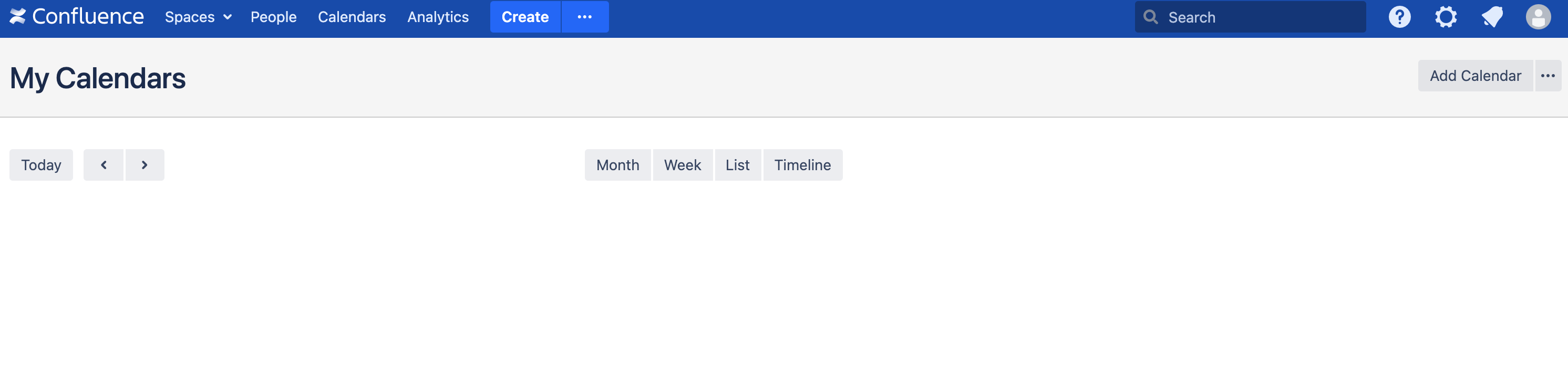
There are no messages in application logs, and no errors in HAR file. However, if you check console messages of development tools in browser, you may find below error. It indicates this problem may be related to Share Page plugin.
batch.js?locale=ja-JP:434 Uncaught Error: tc/subcalendar-navigation-buttons-view missing confluence/share-page/service/share-page
    at e (batch.js?locale=ja-JP:434:2107)e=ja-JP:434:2107)
Steps to reproduce
- Go to Manage Apps > System Plugins
- Search and Disable "Share Page" Plugin
- Go to Calendar and notice it will not show properly
Expected Results
Calendar should normally load in the page even when "share page" plugin is disabled
Actual Results
Calendar view gets broken
Known Workarounds
Instead of disabling all modules of "Share Page" plugin, disabling only the "Share" module will make the share page button disappear without breaking the Calendar.