-
Type:
Bug
-
Resolution: Fixed
-
Priority:
 Low
Low
-
Affects Version/s: 9.2.0, 8.5.18, 9.2.1, 8.5.19, 9.3.1
-
Component/s: Content - Blogs, Content - Linking, Content - Page
-
4
-
Severity 3 - Minor
-
13
Issue Summary
When we create a link to a blogpost on a page, it appears as Undefined Pages under Space Tools. Within the Undefined Page, the blogpost is listed alongside a createpage.action link (see example below).
https://<base-url>/pages/createpage.action?spaceKey=<spaceKey>&title=<title>&linkCreation=true&atl_token=<atl_token>
This is reproducible on Data Center: Yes
Steps to Reproduce
- Install Confluence 9.2.1, or any affected version
- Create a new blog
- Create a new page and add a link to the blogpost in this page
- Navigate to Space Tools -> Content Tools -> Undefined Pages
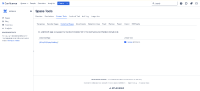

Attaching the recording on how to reproduce the issue.

Expected Results
The blogpost shouldn't appear in the Undefined Pages list.
Actual Results
The blogpost appears under the Undefined Pages, indicating that it has not yet been created.
Workaround
Currently there is no known workaround for this behavior. A workaround will be added here when available.

