-
Type:
Bug
-
Resolution: Unresolved
-
Priority:
 Low
Low
-
None
-
Affects Version/s: 7.13.0, 8.1.0
-
Component/s: Core - Content REST APIs
-
None
-
5
-
Severity 3 - Minor
Issue Summary
REST API (/rest/api/content/{id}/restriction/byOperation/) parameter Start and Limit are not returning results as expected.
This is reproducible on Data Center: yes
Steps to Reproduce
- Setup any Confluence instance 8.1.0 or latest LTS
- Create a Page (Test Page)
- Create 5 users - user0, user1, user2, user3, user4.
- Give those users permission to access (Read/Write) on Page - Test Page
- Construct the following REST call, - base url, Page ID, start and limit value.
https://<base_url>/confluence/rest/api/content/<pageID>/restriction/byOperation/read/?expand=restrictions.user&start=2&limit=2
Expected Results
With 5 users with Read access on Page, start=2 and limit =2, should return 2 results.
But it is actually returning the 1 result.
Actual Results
- There seems to me issue with START iterator, whenever we have Start set to 0, it fetches the result as expected, anything non-zero (Start and Limit value are same) it miss compute the result-set.
- Start=0, limit=2

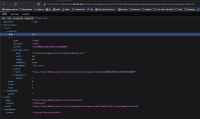
- Start=0, limit=3
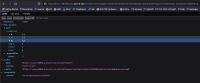
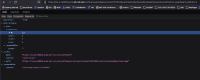
- Start=2 and Limit=2 (expected user2 and user 3, but has returned only user2)

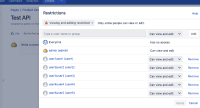
- Here is the Page Restriction Configuration
- Sample REST Request:
https://linux-36016.prod.atl-cd.net/confluence/rest/api/content/1212423/restriction/byOperation/read/?expand=restrictions.user&start=3&limit=2
- Start=0, limit=2


Workaround
Currently, there is no known workaround for this behavior by using REST API.
There is a way to get a restricted user list on specific content by executing the below queries;
You can use the below SQL query to get user list who have Edit permission on the specific content.* (Please change the <Content ID>)
select um.user_key as UserKey, um.username as User_Name, cp.cp_type as Permission_Type from content_perm cp
JOIN user_mapping um ON cp.username = um.user_key
where cp.cps_id in
(select id from content_perm_set cps where cps.content_id=<Content ID>)
and cp.cp_type='Edit';
You can use the below SQL query to get user list who have View permission on the specific content.* (Please change the <Content ID>)
select um.user_key as UserKey, um.username as User_Name, cp.cp_type as Permission_Type from content_perm cp
JOIN user_mapping um ON cp.username = um.user_key
where cp.cps_id in
(select id from content_perm_set cps where cps.content_id=<Content Id>)
and cp.cp_type='View' ;


