-
Type:
Bug
-
Resolution: Unresolved
-
Priority:
 Low
Low
-
None
-
Affects Version/s: 7.13.1
-
Component/s: Content - Attachments
-
None
-
4
-
Severity 3 - Minor
Issue Summary
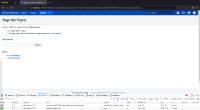
Download all attachments fails with a HTTP 404 Page Not Found with the URL showing the Confluence Home directory.
Environment
Confluence running on Linux with the <confluence-home>/temp a symbolic link.
Steps to Reproduce
- Install a fresh Confluence on Linux
- Map the <confluence-home>/temp as a sym link folder
rm -rf /var/atlassian/application-data/confluence/temp
ln -s /tmp /var/atlassian/application-data/confluence/temp
- Start Confluence
- Create a page with some attachments
- Navigate to "..." > Attachments
- Click on the Download All attachments link
Expected Results
- All the attachments on the page should be downloaded as a single Zip file
Actual Results
- Confluence returns a HTTP 404 Page Not found error

- The URL also shows the actual Home Directory location

Diagnosis
Confirm whether the <confluence-home>/temp is a symbolic link.
$ pwd
/var/atlassian/application-data/confluence

$ ls -l | grep -i temp
drwxr-x---     2 user  user     64 14 Oct 17:22 plugins-temp
lrwxr-xr-x     1 user  user     17 20 Oct 17:31 temp -> /tmp      <---- This cannot be a symbolic link!
drwxr-x---  1030 user  user  32960 20 Oct 17:36 webresource-temp
Workaround
- Remove the <confluence-home>/temp symbolic link and make sure that it is an actual directory
