-
Type:
Suggestion
-
Resolution: Unresolved
-
None
-
Component/s: Editor - Drafts
-
1
Issue Summary
Preview of shared drafts (from Collaborative editing) in non Collaborative editing mode will render the page in a popup window without DrawIO diagrams.
Steps to Reproduce
- Create a draft in Collaborative editing and add DrawIO diagram. Add title eg. "123"
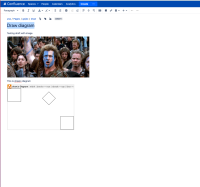
- Set Collaborative editing to OFF
- In order to recover shared drafts open Drafts under the menu.
- Click view on our 123 draft

Expected Results
The page is rendered with all addons images and macros.
Actual Results
The page is rendered without a Draw io diagram.

Workaround
Contact support to recover the draft storage format and then recreate the page from it.

