-
Type:
Bug
-
Resolution: Not a bug
-
Priority:
 Low
Low
-
None
-
Affects Version/s: 7.0.5, 7.1.1, 7.1.2, 7.2.0
-
Component/s: Server - Installer / Setup
-
None
-
6
-
Severity 2 - Major
Issue Summary
Upgrading with Windows installer fails due to logon user change for Windows service
Steps to Reproduce
- Install Confluence 7.1.0 or earlier with Windows installer
- Observe that the logon user for Windows service is Local System
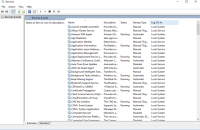
- Upgrade to Confluence 7.1.1 or later with Windows installer

Expected Results
Upgrade should complete without any issues.
Actual Results
Upgrade does not run and logon user for Windows service is now Network Service. Upgrade fails due to user change.

service.bat has hard coded in NetworkService account for user.
service.bat
"%EXECUTABLE%" //IS//%SERVICE_NAME% --ServiceUser "NT AUTHORITY\NetworkService" ^
The change to Network Service was made to fix the vulnerability documented below:
- CONFSERVER-58808: DLL hijacking in Confluence Server Windows installations
Solution
For fresh installation or upgrades, the NT AUTHORITY\NetworkService will be granted the full permission for following folders:
- Installation folder: C:\Program Files\Atlassian\Confluence
- Application data folder: C:\Program Files\Atlassian\Application Data\Confluence
Make sure the NT AUTHORITY\NetworkService account is configured on your Windows Server.


- mentioned in
-
Page Loading...