-
Type:
Bug
-
Resolution: Unresolved
-
Priority:
 Low
Low
-
None
-
Affects Version/s: 6.13.5, 6.15.6, 7.16.4, 9.2.1
-
Component/s: User - Management
-
9
-
Severity 3 - Minor
-
1
Issue Summary
Since Confluence version 6.13, administrators have the option to delete users that created content.
Deleting an user will not delete the contents they created. Rather, it will anonymize these contents.
If Collaborative Editing is disabled, then users can have personal drafts.
The way personal drafts work means that no other user (even the confluence administrator) can perform operations (edit, publish or discard) on these drafts, only the user who created them.
When an user is deleted by the Confluence administrator, personal drafts and associated content (such as attachments) are not deleted.
Since these personal drafts cannot be accessed by any other user (and the delete operation cannot be undone), this means unnecessary records will still be in the database, as well as in the file system (attachments).
Confluence administrator trying to discard a personal draft created by another user gives an error.

This is not a security issue because the drafts cannot be associated with the deleted user anymore.
Environment
This issue applies only to versions on which deleting an user that created content is possible.
This is from Confluence 6.13 onwards.
This applies only to personal drafts, created when Collaborative Editing (CE) is disabled.
Drafts created while CE is enabled are shared, so there's no meaning on deleting them.
Steps to Reproduce
- Install a vanilla Confluence instance.
- Create an user (username: regular_user001) that is part of the confluence-users group.
- Access Confluence as regular_user001 and create a sample Space.
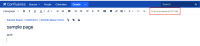
- In that Space, create a page, but don't publish it.
- Wait for the draft to be autosaved by Confluence and click on the Close button.
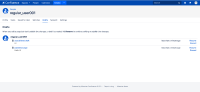
- Accessing the Drafts page under user's profile shows the drafts created by this user.
- Access Confluence as the administrator and go the link <Confluence Base URL>/admin/users/viewuser.action?username=regular_user001 to view the user profile.
- Click on the Delete link and confirm the operation on the next screen.


Expected Results
User is deleted, the content published is anonymized and personal drafts are removed, keeping footprint at the minimum necessary without lost of content.
Actual Results
Personal drafts are not removed.
Searching for these drafts in the database confirms this.
Workaround
As a workaround, the Confluence administrator can discard drafts from deleted users using a REST API method.
When an user is deleted from Confluence, a change is made in the user_mapping table, making the value from username attribute equals to the user_key.
Therefore, running the query below identifies users that were deleted.
select *
from USER_MAPPING
where user_key=username
With that information, Confluence administrator can identify the draft ID of users that were deleted by running the following SQL query:
select c.CONTENTID as DRAFT_ID
from CONTENT c
where c.CONTENTTYPE='DRAFT'
and c.DRAFTTYPE='page'
and c.CREATOR in (select USER_KEY
from USER_MAPPING
where USER_KEY=USERNAME);
Then, with each DRAFT_ID the administrator can run the following REST API method:
CONFBASEURL=<Confluence Base URL>
ADMIN_USERNAME=<Confluence administrator username>
ADMIN_PWD=<Confluence administrator password>
DRAFT_ID=<draft ID from SQL query>

curl -i -u $ADMIN_USERNAME:$ADMIN_PWD $CONFBASEURL'/rest/api/content/'$DRAFT_ID'?status=draft' -X DELETE -H 'Accept: application/json, text/javascript, */*; q=0.01' -H 'Content-Type: application/json' -H 'X-Requested-With: XMLHttpRequest'
A 204 HTTP status response confirms the request was processed.


- is related to
-
CONFSERVER-58560 As a Confluence administrator I would like to remove personal drafts associated to disabled accounts/users
- Gathering Interest