-
Type:
Bug
-
Resolution: Fixed
-
Priority:
 Medium
-
Affects Version/s: 5.5.1, 5.6.4, 5.6.5
-
Component/s: Search - Core
Steps to reproduce :
- Login to Confluence
- Create a new Space
- Create a new page within the space
- Drag about 23 files into the page
- After that, please navigate to Space Tools >> Content Tools >> Attachments
- Add the label vcf_db to 21 attachments on there
- Now try to search the label vcf_db
- You will a paginated result, when you go to the second page, you will see the result such as the screenshot below :
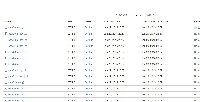

Current behavior : the search label filter does not show the result in the second page properly. It shows the attachment that have no labels as well.
Expected behavior : the search label filter should show properly in the second page of the pagination and so on.
