-
Type:
Bug
-
Resolution: Timed out
-
Priority:
 Low
Low
-
None
-
Affects Version/s: 5.0.3, 5.5, 5.7.3, 5.8.9
-
Component/s: Editor - Page / Comment Editor
-
1
-
Severity 3 - Minor
Steps to reproduce :
- Install Confluence 3.5.1 instance
- Login to Confluence 3.5.1
- Create a new space
- Create a new child page
- Insert the following wiki markup :
!https://localhost/download/attachments/243192202/pattern.png|align=left,width=100, hspace=10!
{panel:titleBgColor=#FFFFFF|bgColor=#FFFFFF}
This page contains issue after upgrade
{panel}

{warning}simple draft :-){warning}
You should see the page like below :

- Now start upgrading to Confluence 5.0.3
- After upgrade is finished visit the same page. You will get the following page :
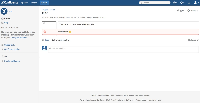


Expected behavior : the text and image should not overlap after upgrade
Current behavior : the text overlaps with the image after upgrade
This can be a huge problem if customer have many pages that have similar content such as described above.


