-
Type:
Bug
-
Resolution: Won't Fix
-
Priority:
 Low
Low
-
None
-
Affects Version/s: 4.3.7, 5.4.4
-
Component/s: Editor - Page / Comment Editor
If you have a file with the extension on all upper case letters, clicking in the "edit in office" will not work at all.
Steps to reproduce:
- Create a page and add two attachments.
- Add two attachments in there:
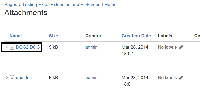
- Click in "edit in office" for the DOC2.DOC.
- Nothing will happen.

Note: This is not reproducible in IE and it was tested against the latest version of Fire Fox (28).
Expected behaviour:
The file should open normally as the second file, doc.doc.
Work Around
Change the file extension from upper case (DOC) to lower (doc).
