-
Type:
Bug
-
Resolution: Unresolved
-
Priority:
 Low
Low
-
None
-
Affects Version/s: 9.2.21, 10.2.13
-
Component/s: Upgrade - ZDU
-
None
-
Severity 3 - Minor
Issue Summary
Restarting a Confluence DC node during a rolling upgrade (before finalizing) may result in the node failing to start with the following error:
checkConfigurationOnStartup Confluence cluster node will not start up because the finalized build number in the database [9109] doesn't match either the application build number [9116] or the home directory build number [9116].
Steps to Reproduce
- Deploy a Confluence 9.2.13 two node Cluster
- Ensure both nodes are running
- Enter Rolling Upgrade mode
- Upgrade Node 2 to Confluence 9.2.21
- Upgrade Node 1 to Confluence 9.2.21
 Do not finalize the upgrade yet
- Restart Node 1 (wait for it to come back up)
- Restart Node 2 multiple times (wait for it to come back up each time)
Expected Results
- Restarting Node 1 should start up without any errors
- local confluence.cfg.xml buildNumber should be updated to 9116
- local confluence.cfg.xml finalizedBuildNumber should remain at 9109
<confluence-configuration>
..
  <buildNumber>9116</buildNumber>
  <properties>
..
    <property name="finalizedBuildNumber">9109</property>
..
- Restarting Node 2 should start up without any errors
- local confluence.cfg.xml buildNumber should be updated to 9116
- local confluence.cfg.xml finalizedBuildNumber should remain at 9109
<confluence-configuration>
..
  <buildNumber>9116</buildNumber>
  <properties>
..
    <property name="finalizedBuildNumber">9109</property>
..
- When ready, connect back to Confluence Administration » Rolling Upgrades and finalize the Upgrade
- buildNumber and finalizedBuildNumber should then be updated to 9116
Actual Results
NODE 1
- The first startup of the upgraded Node 1 will load the GUI

- However, the local confluence.cfg.xml has the finalizedBuildNumber incorrectly updated to 9116

<confluence-configuration>
..
  <buildNumber>9116</buildNumber>
  <properties>
..
    <property name="finalizedBuildNumber">9116</property>
..
- However, the local confluence.cfg.xml has the finalizedBuildNumber incorrectly updated to 9116
- Upon another restart of Node 1, it will fail to start with the following error in the atlassian-confluence.log:
2026-06-11 23:01:36,118 ERROR [Catalina-utility-1] [atlassian.confluence.setup.BootstrapApplicationStartupListener] checkConfigurationOnStartup Confluence cluster node will not start up because the finalized build number in the database [9109] doesn't match either the application build number [9116] or the home directory build number [9116].
- Confluence UI will show this error:
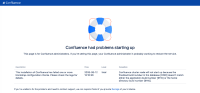

NODE 2
- The first restart of the upgraded Confluence leaves the local confluence.cfg.xml in the correct state
- local confluence.cfg.xml buildNumber updated to 9116
- local confluence.cfg.xml finalizedBuildNumber remains at 9109
<confluence-configuration>
..
  <buildNumber>9116</buildNumber>
  <properties>
..
    <property name="finalizedBuildNumber">9109</property>
..
- local confluence.cfg.xml buildNumber updated to 9116
- Another restart of the upgraded Confluence is still okay
- However, additional restarts of the upgraded Confluence results in an incorrect confluence.cfg.xml finalizedBuildNumber
- The local confluence.cfg.xml has the finalizedBuildNumber incorrectly updated to 9116
<confluence-configuration>
..
  <buildNumber>9116</buildNumber>
  <properties>
..
    <property name="finalizedBuildNumber">9116</property>
..
- The local confluence.cfg.xml has the finalizedBuildNumber incorrectly updated to 9116
- Upon another restart of Confluence, it will fail to start with this entry in atlassian-confluence.log:
2026-06-11 23:07:40,236 ERROR [Catalina-utility-1] [atlassian.confluence.setup.BootstrapApplicationStartupListener] checkConfigurationOnStartup Confluence cluster node will not start up because the finalized build number in the database [9109] doesn't match either the application build number [9116] or the home directory build number [9116].
- Confluence UI will show this error:
Workaround
If the rolling upgrade failed after finalising the upgrade tasks, roll back, address the error and re-attempt the upgrade.
If the rolling upgrade was never finalised but the build number mismatch shows:
 Shutdown all Confluence nodes
- On one Confluence node, edit the <local confluence home>/confluence.cfg.xml and set the finalizedBuildNumber to the expected previous unfinalized build number.
- E.g. if the error message in the logs says:
Confluence cluster node will not start up because the finalized build number in the database [9109] doesn't match either the application build number [9116] or the home directory build number [9116].
- the local <local confluence home>/confluence.cfg.xml should have the finalizedBuildNumber set to the 9109
<confluence-configuration>
..
  <properties>
..
    <property name="finalizedBuildNumber">9109</property>
- E.g. if the error message in the logs says:
- Also check whether finalizedBuildNumber is present in the <Confluence-Shared-Home>/confluence.cfg.xml and ensure the finalizedBuildNumber is also set to 9109 if the line is present there.
- Start Confluence
- Connect to Confluence Administration » General Configuration » Rolling Upgrades
- Finalize the upgrade
- Bring each of the remaining Confluence cluster nodes online (one at a time)
