-
Type:
Bug
-
Resolution: Unresolved
-
Priority:
 Low
Low
-
Component/s: TAP - Linking Platform
-
None
-
1
-
Minor
Issue Summary
When inserting Jira issue links with comment anchors on a Confluence page (e.g., https://atlassiansite.atlassian.net/browse/CT-1?focusedCommentId=10010), the comment anchors are removed when these links are automatically converted to inline smart links upon saving the page. This results in only the Jira ISSUE link remaining (e.g., https://atlassiansite.atlassian.net/browse/CT-1), which is problematic for issue with numerous comments, as it makes locating specific comment information difficult.
This is reproducible on Data Center: (yes) / (no)
Steps to Reproduce
- Step 1 Go to a jira issue and copy the comment:

- Step 2 Go to a confluence page and paste the comment link
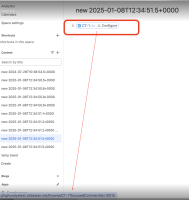
- Step 3 publish the page


Expected Results
The smart link should preserv the comment links.
Actual Results
This is a bug in the inline smart link feature, jira issue comment links converted to jira issue link.

Workaround
Use a plain URL instead of a Jira issue comment link.


