-
Type:
Bug
-
Resolution: Timed out
-
Priority:
 Low
Low
-
Component/s: Macros - Other - Native (1st Party)
-
1
-
Minor
Issue Summary
Embedding Jira Scrum-Board URL as IFrame in Confluence, unable to select Issue-Type in "Create Issue" dialog
Steps to Reproduce
- Step 1 Create a confluence page, insert IFrame macro
- Step 2 Insert Jira Scrum-Board URL in IFrame macro
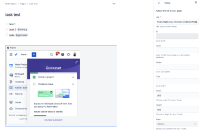
- Step 3 Publish the page and Click on create issue:
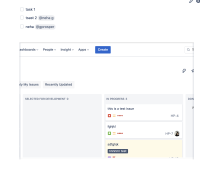
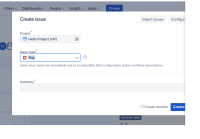
- Step 3 Try to select project and issue type


Expected Results
We should be able to select different project in drop-down.
Actual Results
There is no dropdown available to select issue type and project
Workaround
Currently there is no known workaround for this behavior. A workaround will be added here when available
For issue type we can manually insert values.


