-
Type:
Bug
-
Resolution: Fixed
-
Priority:
 Medium
-
Component/s: Organize - Labels, Page - Attachments (Image, Video, etc.)
-
None
-
9
-
Minor
-
1
Issue Summary
While browsing the labels and attachments pages, to find pages using a single label or to list attachments in a Space, the pagination is not working.
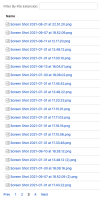
By tapping the pagination numbers, although the pagination number changes (on the bottom of the screen), the results will be the same.
 Tapping the "Next" or "Prev" buttons work, properly redirecting the user to the next list of pages.
Steps to Reproduce
- Have a good number of pages using a specific label or several attachments (so it will trigger the pagination option):
- Tap one of the page numbers
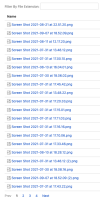
- Tap another page number and see that the labels/attachments list remains the same - although the pagination number did change


Expected Results
The user should be redirected to the next page, including a different list of labels/attachments.
Actual Results
Although the pagination number changes, the same pages/attachments are displayed.
Workaround
- Tap the Next or Prev buttons, instead of tapping the pagination numbers, to navigate to a different list of labels/attachments.
- Copy the cursor parameter from the Prev or next URLs if there is a need to use the link.

