-
Type:
Bug
-
Resolution: Cannot Reproduce
-
Priority:
 Low
Low
-
Component/s: Permissions - Content - Share
-
8
-
Severity 3 - Minor
-
0
Issue Summary
Creating shared links not adding the labels and comments.
Steps to Reproduce
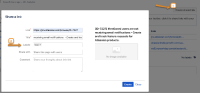
- Step 1 Create a shared link and add Link, Title, Labels and Comment
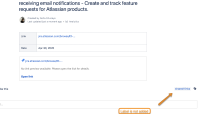
- Step 2 Click on create and verify the page labels


Expected Results
Labels and comments should be added on the page.
Actual Results
- The label is missing, only the shared-links label is added
- No comment is added to the page
Workaround
Manually add the label on the page using add label option.

Also add the desired comment at the bottom of the page.


- is duplicated by
-
-
- Closed
-