-
Type:
Bug
-
Resolution: Timed out
-
Priority:
 Low
-
Component/s: Collaboration - Comments
-
2
-
Severity 3 - Minor
NOTE: This bug report is for Confluence Cloud. Using Confluence Server? See the corresponding bug report.
Summary
Cutting and pasting a table with shortcuts doesn't work correctly.
Steps to Reproduce
- Create a page
- Create a table in the page
- Put some characters in the table
- Cut the whole table with the shortcut Cmd + X (or Ctrl + X)
- Paste the table with the shortcut Cmd + V (or Ctrl + V)
Expected Results
The cutting and pasting the whole table should work in all supported browsers as they work collectly without the shortcuts.
Actual Results
- With using Chrome (Version 55.0.2883.95)
- Before cut and paste the table
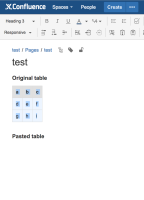
- After cut and paste the table
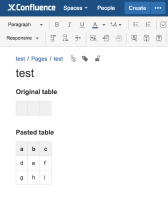
- Before cut and paste the table
- With using Firefox (Version 50.1.0)
- Before cut and paste the table
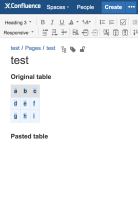
- After cut and paste the table
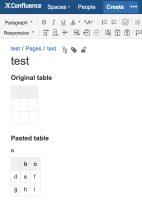
- Before cut and paste the table


Workaround
Copy and paste without the shortcuts.


- is related to
-
-
- Closed
-