-
Type:
Bug
-
Resolution: Timed out
-
Priority:
 Low
Low
-
Component/s: None
-
1
NOTE: This bug report is for Confluence Cloud. Using Confluence Server? See the corresponding bug report.
**Steps to reproduce**
- Go to space X
- Click Space Tools > Content Tools
- Edit a Blueprint Template (i.e Troubleshooting article template)
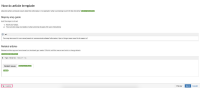
 At this point the Label button does not appear
 - Make some adjustments in the template > Save
- Click on Edit for the same template after it has been saved
- Click on the Label button on the bottom-left side of the browser
- Add a label
- Save
- Create a New Page using the template
- The label would not be added on the page

**Summary**
The button looks is logic error, as it only appears after the template has been edited. The button should not appear when the feature is not available.

- is related to
-
-
- Closed
-