-
Type:
Bug
-
Resolution: Unresolved
-
Priority:
 Low
Low
-
None
-
Affects Version/s: 8.0.0, 8.9.0, 8.19.0, 9.0.0
-
Component/s: UI
-
None
-
1
-
Severity 3 - Minor
-
1
Issue Summary
Embedded images in Jupyter notebooks are not rendered
This is reproducible on Data Center: yes
Steps to Reproduce
- Create a jupyter notebook
- Embed an image
Sample markdown commands used:
or
<img src="stashlogo.png" alt="test stash image"/>
- Commit and push the image and the Jupyter notebook to Bitbucket
- Open the Jupyter notebook in the Bitbucket UI
Expected Results
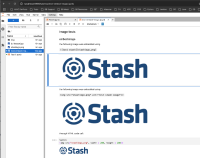
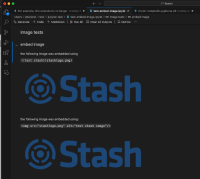
The image(s) are displayed, like the following screenshots
- screenshot taken when opening the notebook in Jupyter Lab

- screenshot taken when opening the notebook from a clone copy of the repo in VS Code

Actual Results
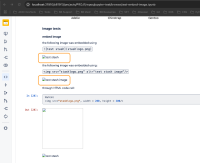
- The image(s) are not rendered in the Bitbucket UI

Workaround
Use the Image class from the IPython.display module:
from IPython.display import Image
Image("<IMAGE_PATH>")
Sample:
from IPython.display import Image
Image("stashlogo.png")


