-
Type:
Bug
-
Resolution: Duplicate
-
Priority:
 Low
Low
-
None
-
Affects Version/s: 7.5.1, 7.6.0
-
Component/s: Pull Requests, UI
-
None
-
1
-
Severity 3 - Minor
-
3
Problem
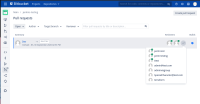
When multiple reviewers approve/deny (needs work) on a Pull request, any users that end up in a expanded dropdown menu will be lacking the approve/deny icon.
Environment
Bitbucket 7.6.0
Steps to Reproduce
- Add enough reviewers to a single Pull Request to require the dropdown window for viewing all reviewers
- Have more reviewers approve/deny the PR than count of the initial listed (typically 3 before the dropdown window appears)
Expected Results
All reviewers who approve/deny the PR should be visually indicated with a respective "avatar-badge".
Actual Results
Users sorted into a dropdown UI element are missing their UI element

Workaround
- (Option 1) Explore to the Pull Requests summary page for the given repository and view the
- (Option 2) Scroll through the below activity lines for approve/deny details
- (Option 3) Use the REST API to retrieve the list of reviewers and their respective PR statuses


- duplicates
-
-
- Closed
-