-
Type:
Bug
-
Resolution: Low Engagement
-
Priority:
 Medium
-
None
-
Affects Version/s: 3.4.4
-
Component/s: JIRA integration, User Interface
-
Environment:
JIRA 5.0
-
4
-
Severity 3 - Minor
-
0
Summary
In Bamboo, when an application link to JIRA is created using an ApplicationUrl that is not accessible from a browser this breaks the display if the icons for each JIRA Issue that is shown in the Build Results Summary page.
Application links can be configured with an ApplicationUrl that is "internal only", e.g it bypasses the proxy, etc. that is used to provide the BaseUrl used from a browser to access the app. This is frequently done for performance to reduce load on the proxy and speed up app-to-app communication by avoiding the overhead of SSL.
Environment
- Bamboo 3.4.4, JIRA 5.0 (verification in current versions pending)
Steps to Reproduce
- Install Bamboo on a server with a BaseUrl that is accessible from outside the local network.
- Install JIRA on a server with a BaseUrl that is accessible from outside the local network.
- Configure a "private" hostname and port for JIRA which is only accessible from inside the local network.
- From Bamboo administration, create an application link to JIRA.
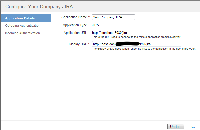
- Set the DisplayUrl to the same as the JIRA BaseUrl and the ApplicationUrl to the private protocol, host, and port:

Expected Results
- Icon images for JIRA Issues should be retrieved using the DisplayUrl
Actual Results
- Urls for icon images use the ApplicationUrl. When this URL is not accessible from a browser the icons are not available.

Notes
This is a problem with how the Bamboo code utilizes the application link. Individual features can choose between the BaseUrl, ApplicationUrl, and DisplayUrl when constructing links. Urls for browser-to-app communication such as links, images, JavaScript, and style sheets should use the DisplayUrl. URLs for app-to-app communication should use the ApplicationUrl.
Workaround
Configure network appliances to allow access to JIRA application images from outside the private network. In other words, expose APPLICATION_URL/images/* to the internet.
- relates to
-
-

- Closed
-


