-
Type:
Bug
-
Resolution: Timed out
-
Priority:
 Low
Low
-
Component/s: Directory - Groups - Add / remove users
-
None
-
Severity 3 - Minor
Issue Summary
In the new centralized user management experience, all addon users in the atlassian-addons-admin group from other sites have admin access on all sites within the org even though the app is not installed on the site.
Steps to Reproduce
- In an organisation with the centralized user management
- Add Confluence product on <site1.atlassian.net>
- Add Jira product on <site2.atlassian.net>
- Install an addon on Jira in <site2.atlassian.net> e.g Tempo timesheet
- Go to Confluence on <site1.atlassian.net/wiki> (by default the atlassian-addons-admin group is exist under space permissions)
- Create a space or (go to an existing space where the atlassian-addons-admin is a space admin).
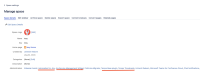
- Go to Space settings > Manage space > Space details

Expected Results
The space should only show addon users for addons that have only been installed on the Confluence site.
Actual Results
It shows all users in the atlassian-addons-admin group. In addition, even though you uninstall the addon from the site where it was installed, the user still remains within the group (ID-8058)
Workaround
Currently, there is no known workaround for this behaviour. A workaround will be added here when available

- is action for
-
UAM-372 Loading...