-
Type:
Bug
-
Resolution: Obsolete
-
Priority:
 Low
Low
-
3
-
Severity 3 - Minor
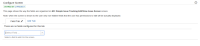
NOTE: This bug report is for JIRA Cloud. Using JIRA Server? See the corresponding bug report.
Summary
JIRA hangs when Edit button is clicked. This happens when all fields are removed from the Edit Screen.
Environment
- Delete all fields from Edit Screen

Steps to Reproduce
- Create a new project
- Go to the project's project administration page > Screens > Click on Edit Issue Screen
- Remove all fields from Edit Issue screen
- Create issue from this project
- Click on Edit button
Expected Results
- Have the same behavior as if the user has no edit permissions in the project permission scheme: No EDIT button and nothing if we use the 'e' shortcut
Actual Results
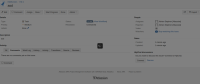
- Loading icon shows non stop

Workaround
Hit the Esc button from the keyboard


- is related to
-
-
- Closed
-