-
Type:
Suggestion
-
Resolution: Won't Fix
-
Component/s: Collaboration - Comments
NOTE: This suggestion is for Confluence Cloud. Using Confluence Server? See the corresponding suggestion.
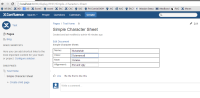
If a user have a word file containing forms and use the Insert ‘Office Word’ Macro to view that file into a Confluence page he will be able to type in on the form fields.
Steps to Reproduce
- Uses Microsoft Word to create a .doc/docx.
- To add a form to this document click in file > Word Options.
- "Customize Ribbon"
- In the right panel check the "Developer" check box.
- Now that you added the developer tab click on it.
- "Click in Legacy Tools"

- Add the text form.

- Save the word doc.
- Create a page in Confluence and use the insert Office macro to insert the created doc.
- Once you save the page you will notice that you will be able to type in the form fields.


Note
- This miss behaviour does not cause any harms to Confluence or the attached doc file.
- I attached the "Simple Character Sheet.docx" as an example.
- You can also follow this link for instructions on how to add the text forms.
- Tested with MS Office 2010/2013 document.


- is related to
-
- Closed