-
Type:
Bug
-
Resolution: Fixed
-
Priority:
 Low
Low
-
Component/s: Migrations - Site - Import
-
12
-
Severity 3 - Minor
Summary
Spaces with non-default title will cause the space to lose its name when imported into any other Cloud instance
How to Replicate
- Create a space, i.e with name and spacekey "New"
- Edit homepage title to anything else i.e change the space homepage title to "Old"
- Create a space backup
- Import to any Cloud instance
Current Behavior
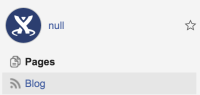
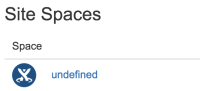
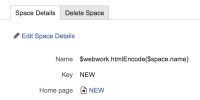
Imported space does not have a name.
- "null" on sidebar
- "undefined" in space directory
- "$webwork.htmlEncode($space.name)" on space overview


Expected Behavior
The space is imported with the correct name.
Workaround
- Go to Space Overview
- Edit Details
- Update Space Name
Notes
This can also prevent new pages from being created until the NULL Space Name has been populated


